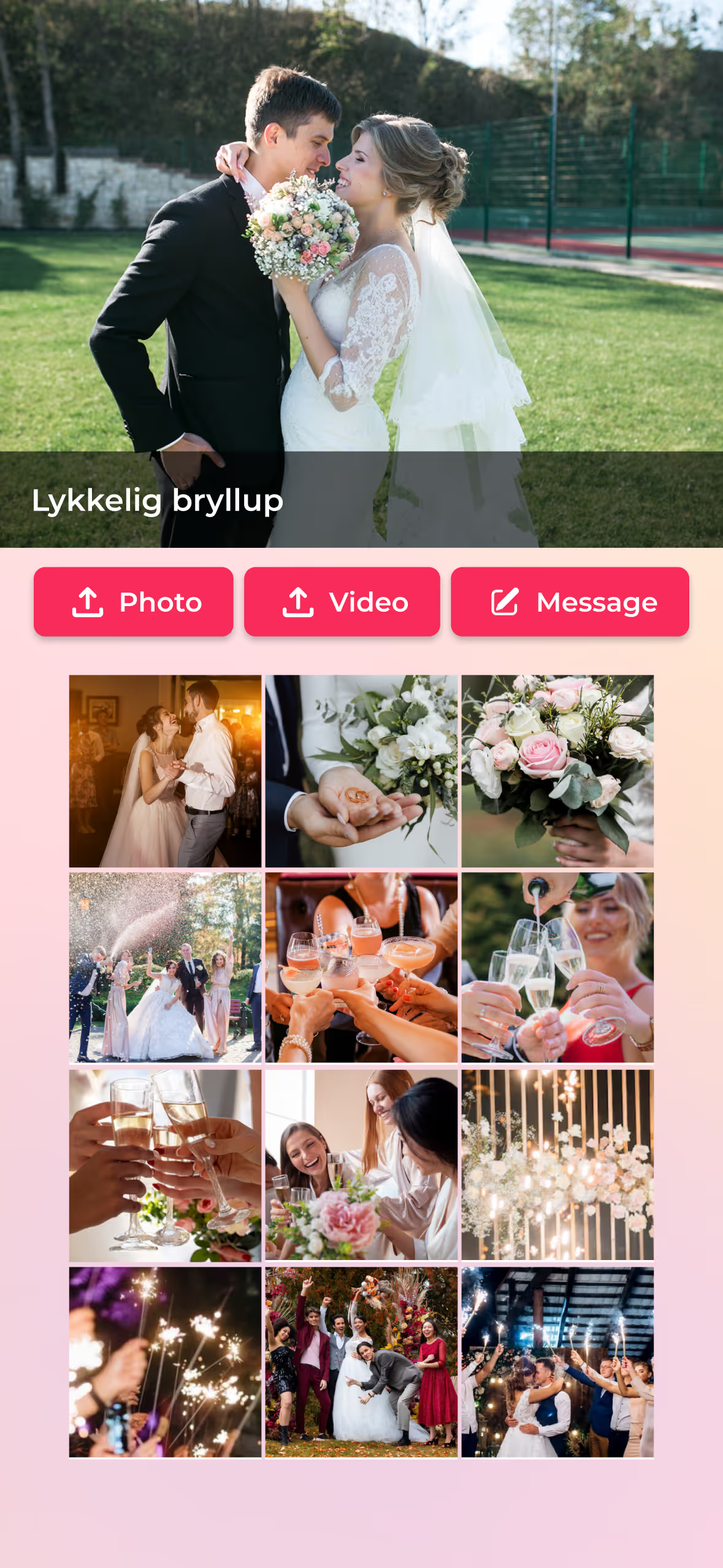
Great moments come from sharing
Guests can instantly share photos, videos, and messages - no app, no sign-up required. Perfect for weddings, parties, and corporate events.
Step 1

Create event
Step 2

Share a QR code or link
Step 3

Guests upload photos, videos, or messages
Step 4

Display live slideshows and save your event album
Step 1
Create event
Step 2
Share a QR code or link
Step 3
Guests upload photos, videos, or messages
Step 4
Display live slideshows and save your event album
For all kinds of events
Capture every candid moment through your guests’ perspectives
Guests effortlessly share photos, videos, and heartfelt wishes, creating a wedding album full of life and emotion on your special day.
See more

Share joyful moments in the simplest way
Guests don’t need an app or an account - just scan the QR code to join the shared album for the party, gathering, or celebration.
See more
Capture every Russ memory from every angle.
Friends share photos, videos, and messages instantly - creating a Russ album full of energy, chaos, and unforgettable moments throughout the celebration.
See more
Capture every meaningful moment of the confirmation day.
Family and friends share photos, videos, and heartfelt messages effortlessly - creating a confirmation album filled with joy, pride, and unforgettable memories.
See more
Increase engagement and connection at corporate events
Encourage attendees to share their experiences
See more
Every event, every moment remembered
A flexible solution for sharing and storing photos and videos.
See more

Capture, share, and relive every moment of your event
Your guests can share photos, videos, and messages instantly - no app and no registration required. Perfect for weddings, parties, and corporate events.

Collect moments effortlessly
-
Guests upload photos, videos, and messages in seconds
-
Works seamlessly on any phone or device
-
No app. No sign-up. Just scan and share.

Create engagement throughout your event
-
Show live photos and videos on TV or projector screens
-
Invite guests to join in and engage together
-
Create a fun, lively atmosphere for everyone

Customize to match your event style
-
Match the album to your event theme or brand
-
Pick layouts, backgrounds, and display styles
-
Control whether guest uploads need approval
Manage your content with ease
-
Preview and approve guest content before it appears
-
Decide what guests can see or download
-
Add collaborators to help manage your event
Keep everything in one place
-
Bring all moments together after the event ends
-
Easily download all photos and videos
-
Share the complete digital album with guests
If this sounds familiar…
Missing moments that happen during your own event
Looking for an easy activity everyone can join


Photos and videos scattered across chats and devices
Spending days chasing guests for their photos
This is the solution for you!
Why choose Knipsly?
Easy for you. Simple for guests.

Just scan and upload. No instructions needed.

Hosts no longer need to chase photos after the event.

Collect moments from every angle
Moments shared in real time during the event
Frequently Asked Questions
How the event album works
Do guests need to install an app?
No. Guests simply scan the QR code or open the event link to participate.
Do guests need to create an account?
No. Guests can upload content immediately after opening the link. Only the event organizer needs an account to manage the album.
Can photos and videos be displayed live during the event?
Yes. Uploaded photos and videos are updated in real time and shown in a live slideshow.
Can I control the content in the album?
Yes. You can preview, approve, or hide guest uploads before they appear in the album or slideshow.
Is the event album private?
Yes. Only guests with the event link or QR code can access and share content.
Can I download and share the album after the event?
Yes. You can download all photos and videos and share the digital album with guests after the event ends.

Do guests need to install an app?
No. Guests simply scan the QR code or open the event link to participate.
Do guests need to create an account?
No. Guests can upload content immediately after opening the link. Only the event organizer needs an account to manage the album.
Can photos and videos be displayed live during the event?
Yes. Uploaded photos and videos are updated in real time and shown in a live slideshow.
Can I control the content in the album?
Yes. You can preview, approve, or hide guest uploads before they appear in the album or slideshow.
Is the event album private?
Yes. Only guests with the event link or QR code can access and share content.
Can I download and share the album after the event?
Yes. You can download all photos and videos and share the digital album with guests after the event ends.