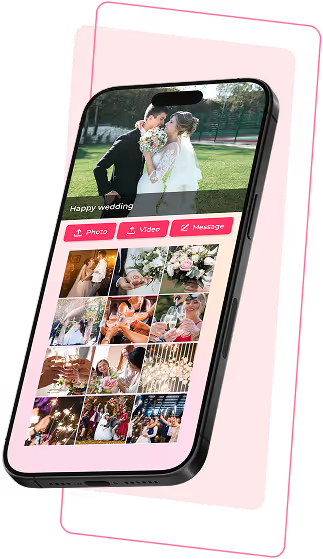
Guests effortlessly share photos, videos, and heartfelt wishes, creating a wedding album full of life and emotion on your special day.
Steg 1
Create event
Steg 2
Share a QR code or link
Steg 3
Guests upload photos, videos, or messages
Steg 4
Display live slideshows and save your event album
Step 1
Create event
Step 2
Share a QR code or link
Step 3
Guests upload photos, videos, or messages
Step 4
Display live slideshows and save your event album

A glance, a smile among friends
Little behind-the-scenes moments the main camera couldn’t capture
Every moment seen from the guests’ point of view
Guests’ perspectives make your wedding album more personal than professional photos alone.
No setup required - place a QR code and guests can start sharing instantly.
Guests’ perspectives make your wedding album more complete and authentic.
New photos and videos appear instantly during the wedding, perfect for displaying on TVs, projectors, or large screens.
Guests’ wishes are shared in real time and preserved as part of your wedding memories.
Only guests with the link or QR code can join. You can preview and approve content before it appears in the share album.
Guests’ perspectives make your wedding album more complete and authentic.
New photos and videos appear instantly during the wedding, perfect for displaying on TVs, projectors, or large screens.
Guests’ wishes are shared in real time and preserved as part of your wedding memories.
Only guests with the link or QR code can join. You can preview and approve content before it appears in the share album.
No. Guests simply scan the QR code or open the event link to participate.
No. Guests can upload content immediately after opening the link. Only the event organizer needs an account to manage the album.
You can place the QR code on guest tables, at the photo area, on the backdrop, or display it on a TV or screen during the celebration.
Yes. Only guests with the event link or QR code can access and share content.
Yes. You can preview, approve, or hide guest uploads before they appear in the album or slideshow.
Yes. You can download all photos and videos and share the digital album with guests after the wedding ends.
No. Guests simply scan the QR code or open the event link to participate.
No. Guests can upload content immediately after opening the link. Only the event organizer needs an account to manage the album.
You can place the QR code on guest tables, at the photo area, on the backdrop, or display it on a TV or screen during the celebration.
Yes. Only guests with the event link or QR code can access and share content
Yes. You can preview, approve, or hide guest uploads before they appear in the album or slideshow.
Yes. You can download all photos and videos and share the digital album with guests after the wedding ends.
TABLE OF CONTENTS
CONTACT
support@knipsly.com
Some illustrations on this site are designed by Freepik